





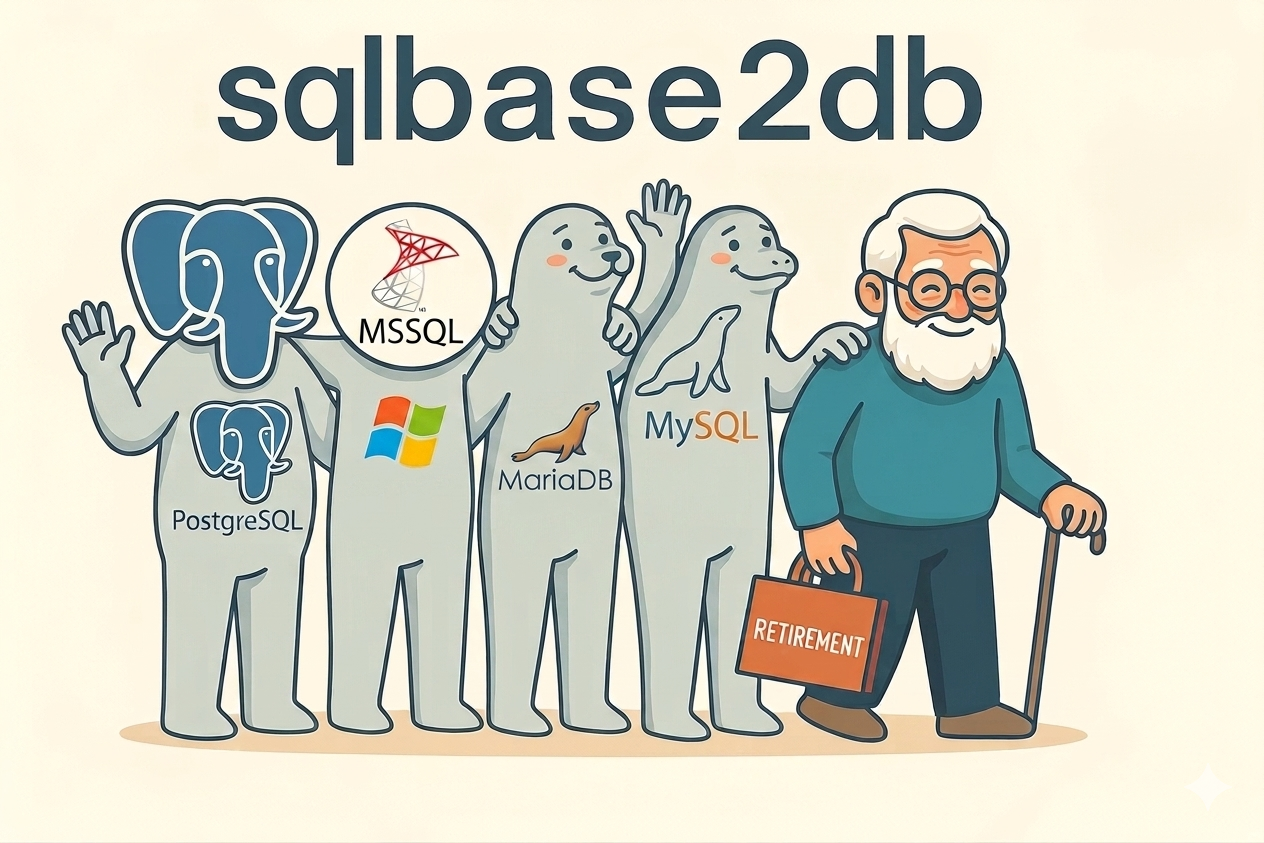
Automated migration of Gupta SQLBase databases to Microsoft SQL Server, PostgreSQL, MySQL and MariaDB – including structure, views, data and indexes. Local. Reproducible. Without manual schema work.
Gupta SQLBase has been running reliably in many companies for decades – that is not the problem.
The problem begins where modern applications, current .NET architectures, flexible database platforms and sensible licensing models are required.
sqlbase2db helps migrate existing SQLBase databases cleanly to modern target systems – without weeks of manual labour on tables, data types, views, data exports and index definitions.
Currently supported target systems:
- Microsoft SQL Server
- PostgreSQL
Additional target systems are firmly planned:
- MySQL
- MariaDB
Support for MySQL and MariaDB is currently in preparation. If your target system is not listed here, please contact us. In many cases, we can evaluate whether an extension or project-specific implementation makes sense.
Why SQLBase can become a bottleneck today
SQLBase has been, and still is, a reliable database foundation for many applications. Many systems have been running on it for years, sometimes for decades. That is exactly why SQLBase installations are often business-critical.
But stable legacy systems have one unpleasant habit:
They keep working for a surprisingly long time – until modernization suddenly stops being optional.
Companies usually want to replace SQLBase for three reasons.
1. Technical modernization
Modern .NET architectures need modern database integration
Many current .NET applications rely on ORM technologies such as Entity Framework Core. This requires suitable database providers. Microsoft lists numerous providers for EF Core, including SQL Server, PostgreSQL, SQLite, MySQL/MariaDB and Oracle; SQLBase is not among the commonly listed standard providers.
Database Providers – learn.microsoft.com
In practice, this means:
- no clean standard path for Entity Framework Core
- more custom data access logic
- dependency on classic access layers such as ODBC or older data providers
- higher effort for refactoring, new development and modernization
- less alignment with current .NET development models
In short:
SQLBase runs.
But it fits less and less comfortably into modern .NET landscapes.
And of course, many things can somehow be kept alive.
You can also drive a vintage car to customers every day. The only question is whether that qualifies as a mobility strategy.
2. Economic reasons
Database licenses are not background noise
In typical production scenarios, SQLBase is an additional cost factor. It must be considered with every installation, every extension and every customer rollout.
This becomes particularly noticeable in smaller installations with around 5 to 25 users. The application itself may be lean – but the database license still makes the overall package more expensive.
Modern target systems offer more flexibility here:
- Microsoft SQL Server Express is a free SQL Server edition for smaller desktop, web and server applications.
Microsoft® SQL Server® 2022 Express – microsoft.com - PostgreSQL is released under a liberal open-source license and can be used, copied, modified and distributed without license fees.
PostgreSQL License – postgresql.org - MySQL and MariaDB are planned as additional target systems and will further expand the available options.
This means the database no longer automatically becomes a cost driver.
In many cases, a migration can already pay for itself simply by avoiding future SQLBase license costs or significantly reducing database licensing expenses.
3. Strategic freedom
More platform. More tools. More choice.
Migrating from SQLBase to SQL Server or PostgreSQL is not just a technical replacement of the database.
It opens the door to a broader ecosystem:
- better integration into modern applications
- broader support by development tools
- more know-how available on the market
- modern administration and monitoring tools
- better options for backup, operation and scaling
- easier integration into cloud, container and DevOps scenarios
- less dependency on an aging specialist technology
- additional future target platforms through MySQL and MariaDB
This reduces project risks in the long term.
And as we all know, risks in IT rarely become expensive when they are recognized — they become expensive when they have been ignored for years.
What sqlbase2db does
sqlbase2db is a professional command-line tool for automated migration of Gupta SQLBase databases.
The program reads the SQLBase source database and generates executable SQL scripts for the target system.
It does not merely export data. It also migrates the database structure, views and indexes.
Automated schema export
sqlbase2db analyzes the table structure of the SQLBase database and translates it into the syntax of the target system.
Among other things, it processes:
- tables
- columns
- data types
- lengths and precision
- NULL / NOT NULL definitions
- views
- technical specifics of the target platform
The goal is a runnable structure on SQL Server or PostgreSQL – without manually rebuilding the database.
Views are migrated
Existing SQLBase views are considered during schema export and transferred to the target system, as far as they can be mapped technically and unambiguously.
For simple views, this is usually straightforward. More complex views may contain SQLBase-specific syntax, for example proprietary functions, special string concatenation or database-specific expressions.
Such views should be reviewed functionally and technically after migration. sqlbase2db performs the structural transfer – but it does not replace a functional assessment of database-specific application logic.
That is not a weakness. It is simply the reality of SQL dialects. Anyone promising otherwise either has a very small example or a very large amount of optimism.
Complete data export
After the schema export, sqlbase2db exports the data from the SQLBase tables.
sqlbase2db generates executable INSERT scripts and handles typical stumbling blocks:
- special characters
- date and time values
- NULL values
- numeric formats
- binary data
- large data volumes
- SQLBase-specific behavior
The export is reproducible and traceable.
Handling SQLBase ROWID
Gupta SQLBase internally works with a ROWID, which often plays a practical role in existing applications – sometimes explicitly, sometimes more historically grown.
When migrating to SQL Server, PostgreSQL or other modern target systems, this ROWID cannot simply be assumed to exist as an identical internal database concept. Other databases have different mechanisms, different guarantees and different ideas about what an internal row address should be.
sqlbase2db takes this issue into account and provides a dedicated solution:
- SQLBase ROWID values can be detected and considered during export.
- If required, a technical replacement column can be created in the target system.
- Existing references to ROWID can be transferred more transparently into the target world.
- The target structure remains transparent and verifiable.
This prevents a SQLBase-internal peculiarity from becoming a quiet migration landmine.
Nevertheless, if an application relies heavily on SQLBase ROWID logic, this area should be deliberately reviewed during application migration. sqlbase2db removes the technical hurdle – but the functional meaning is something only the application itself can know.
Index and constraint export
After structure and data, sqlbase2db generates the scripts for indexes and unique constraints.
This is deliberately separated because, in migration projects, it is usually more sensible to create the structure first, then load the data and finally build the indexes.
The result is a clean, controllable process.
What is deliberately not migrated automatically
sqlbase2db focuses on reliably migrating:
- table structures
- views
- data
- indexes
- unique constraints
Triggers and stored procedures are not migrated automatically.
If triggers or stored procedures exist in the SQLBase database, they must be reviewed manually and recreated in the target system if required.
The reason is simple: triggers and stored procedures often contain database-specific logic, syntax and side effects. An automatic 1:1 translation would be unreliable in many cases – and unreliable is something others can do better.
Instead of silently generating questionable target scripts, sqlbase2db remains deliberately transparent here.
Clear output files
sqlbase2db generates separate files for the individual migration steps.
Example for SQL Server:
| File | Description |
|---|---|
| mssql_mydb_01_schema.sql | Create table structure and views |
| mssql_mydb_02_data.sql | Load data |
| mssql_mydb_03_indexes.sql | Create indexes and constraints |
| mssql_readme.txt | Step-by-step instructions |
Corresponding files are generated for PostgreSQL.
This makes the migration transparent, verifiable and repeatable.
Typical process
A migration with sqlbase2db follows a clear process:
- Connect to the SQLBase database
sqlbase2db accesses the source database through the installed SQLBase Client. - Select the target system
Currently Microsoft SQL Server or PostgreSQL. MySQL and MariaDB are planned as additional target systems. - Start the export
The tool reads structure, views, data and indexes. - Review the SQL scripts
The generated files can be versioned, reviewed and documented. - Execute the scripts on the target system
Schema, data and indexes are imported in a defined order. - Review triggers and stored procedures
If present, they are functionally and technically evaluated and recreated manually in the target system. - Switch and test the application
The migrated database is then available for modernization, porting or continued operation.
What a migration with sqlbase2db looks like
sqlbase2db is a command-line tool.
The migration is started with a clear command and then generates separate SQL files for structure, data and indexes.
The following examples are shortened for illustration. In real migrations, sqlbase2db generates complete scripts for all supported tables, views, data and indexes of the SQLBase database.
Example: Starting from the command line
sqlbase2db.exe ^
  --source "server=SQLBASESERVER;database=MYDB;user=SYSADM;password=***" ^
  --target postgresql ^
  --output "C:\migration\mydb" ^
  --license "C:\licenses\sqlbase2db.lic"
Or for Microsoft SQL Server:
sqlbase2db.exe ^
  --source "server=SQLBASESERVER;database=MYDB;user=SYSADM;password=***" ^
  --target mssql ^
  --output "C:\migration\mydb" ^
  --license "C:\licenses\sqlbase2db.lic"
The exact syntax may vary depending on the version.
The principle remains the same: specify the source, choose the target system, set the output directory, start the migration.
Example: Console output
sqlbase2db 1.0.0
Copyright (c) 2026 isential gmbh

License.................. valid
Licensed to.............. Sample Company Ltd.
Source database.......... MYDB
Target system............ PostgreSQL
Output directory......... C:\migration\mydb

Connecting to SQLBase.... OK
Reading schema........... OK
Tables found............. 184
Views found.............. 27
Indexes found............ 312
Unique constraints....... 48
Triggers found........... 6
Stored procedures found.. 12

Checking ROWID usage..... detected
ROWID strategy........... create technical replacement column

Exporting schema......... OK
Exporting views.......... OK
Exporting data........... OK
Exporting indexes........ OK
Writing readme........... OK

Created files:
  pgsql_mydb_01_schema.sql
  pgsql_mydb_02_data.sql
  pgsql_mydb_03_indexes.sql
  pgsql_readme.txt

Note:
  Triggers and stored procedures were detected.
  These objects are not migrated automatically and must be reviewed manually.

Migration export completed successfully.
This output deliberately shows not only the success case, but also the relevant notes:
- views are detected
- ROWID is handled
- triggers and stored procedures are reported transparently
Example: Generated files
C:\migration\mydb\

  pgsql_mydb_01_schema.sql      Create table structure and views
  pgsql_mydb_02_data.sql        Load data
  pgsql_mydb_03_indexes.sql     Create indexes and constraints
  pgsql_readme.txt              Step-by-step instructions
For Microsoft SQL Server, corresponding mssql_... files are generated.
Example: Excerpt from schema.sql
-- Generated by sqlbase2db
-- Licensed to:     Sample Company Ltd.
-- License ID:      SB2DB-2026-04-ABCD1234
-- Source database: MYDB
-- Target system:   PostgreSQL
-- Generated at:    2026-05-07 10:30:00

CREATE TABLE customers (
  customer_no    INTEGER NOT NULL,
  name           VARCHAR(80) NOT NULL,
  city           VARCHAR(80),
  created_at     TIMESTAMP,
  blocked        INTEGER DEFAULT 0,
  sqlbase_rowid  BIGINT
);
The file header makes it clear which license, source and target system were used to generate the script.
The technical column sqlbase_rowid is an example of how SQLBase ROWID information can be transparently transferred into the target structure if required.
Example: Excerpt from a view
CREATE VIEW active_customers AS
SELECT
  customer_no,
  name,
  city
FROM customers
WHERE blocked = 0;
Views are therefore not hidden away, but appear as a visible part of the schema migration.
Note:
For complex SQLBase-specific view definitions, a functional review after migration may be useful.
Example: Excerpt from data.sql
BEGIN;

INSERT INTO customers
  (customer_no, name, city, created_at, blocked, sqlbase_rowid)
VALUES
  (10001, 'Sample Ltd.', 'Trossingen', '2024-03-18 09:15:00', 0, 123456789);

INSERT INTO customers
  (customer_no, name, city, created_at, blocked, sqlbase_rowid)
VALUES
  (10002, 'Example Inc.', 'Villingen-Schwenningen', '2024-04-02 14:20:00', 0, 123456790);

COMMIT;
This example shows:
- readable INSERT structure
- transaction-safe output
- traceable data transfer
- ROWID handling, if required
Example: Excerpt from indexes.sql
CREATE UNIQUE INDEX ux_customers_customer_no
ON customers (customer_no);

CREATE INDEX ix_customers_name
ON customers (name);
Indexes and unique constraints are deliberately generated separately after structure and data have been imported.
In migration projects, this is usually more sensible, faster and easier to control.
Example: Excerpt from readme.txt
sqlbase2db Migration Readme
===========================

Source database:
  MYDB

Target system:
  PostgreSQL

Generated files:
  pgsql_mydb_01_schema.sql
  pgsql_mydb_02_data.sql
  pgsql_mydb_03_indexes.sql

Execution order:
  1. pgsql_mydb_01_schema.sql
  2. pgsql_mydb_02_data.sql
  3. pgsql_mydb_03_indexes.sql

Important notes:
  - Review generated views if they contain SQLBase-specific syntax.
  - Triggers and stored procedures are not migrated automatically.
  - If your application uses SQLBase ROWID semantics, review the generated ROWID mapping.
The Readme documents the execution order and points out items that should be deliberately reviewed in the target system.
Local instead of cloud
sqlbase2db runs locally in your environment.
Your production databases are not uploaded to us.
There is no cloud migration, no upload of your SQLBase data and no external processing of your data.
Online communication is used exclusively for license verification and activation.
This is particularly important for:
- production company data
- customer databases
- sensitive industries
- internal compliance requirements
- service providers working with client data
In short:
Your data stays where it belongs: with you.
Who is sqlbase2db for?
sqlbase2db is aimed at companies and service providers that no longer want to carry SQLBase as a technical or economic bottleneck.
Typical users include:
- companies with existing SQLBase applications
- ERP vendors and software companies with SQLBase legacy installations
- IT service providers with SQLBase migration projects
- development teams modernizing existing applications
- operators of industry solutions with many customer databases
- organizations wanting to reduce SQLBase license costs
- users planning to use SQL Server, PostgreSQL, MySQL or MariaDB as strategic database platforms
sqlbase2db was developed for serious replacement and modernization projects.
It is deliberately not optimized for individual ad-hoc exports, experimental play tests or “let’s see whether we maybe eventually migrate one day”.
That saves time. On both sides.
Built from SQLBase practice
Behind sqlbase2db is isential gmbh with around 36 years of practical experience using Gupta SQLBase.
We do not know SQLBase from data sheets.
We know SQLBase from real applications, real customer installations and real migration problems.
This experience matters because SQLBase migrations rarely fail because of the obvious things.
The table CUSTOMERS is not the problem.
The problem is in the details:
- data types
- special characters
- old data sets
- historically grown structures
- views
- indexes
- ROWID
- proprietary behavior
- large tables
- production data with a very long history
- triggers and stored procedures that deliberately need to be considered separately
sqlbase2db is therefore not a lab product, but a tool built from practice.
Or, more briefly:
We do not sell magic — we just remove the tedious manual work from a project where tedious manual work can become surprisingly expensive.
Advantages over manual migration
A manual SQLBase migration is possible.
Just as it is possible to remove tiles with a pocket knife.
The only question is whether you really want to.
sqlbase2db reduces typical risks of manual migrations:
Less manual schema work
Tables, columns, views and data types do not have to be transferred one by one.
Reproducible results
The migration can be repeated, reviewed and documented.
Clear separation of steps
Schema, data and indexes are output separately.
Fewer sources of error
Special characters, date values, binary data, NULL values and SQLBase-specific details are handled systematically.
Transparent handling of limits
Triggers and stored procedures are not translated automatically, but deliberately treated as database logic requiring manual review.
Better planning
Test migrations and production runs can be carried out using the same mechanisms.
Reduced project effort
The actual migration does not become a weeks-long manual labour project.
Licensing & pricing
We prefer clear pricing over pricing fog.
sqlbase2db is a professional tool for production migration projects. The licensing model is deliberately simple:
- perpetual usage license
- billing by migration units
- multiple migrations included in the basic license
- local usage
- regular online verification for license binding
- no cloud transfer of your data
What is a migration unit?
A migration unit is the complete migration of one technically independent SQLBase database instance – consisting of structure, views, data and indexes – into a target database.
Important:
- The database name alone is not decisive.
- Same structure does not mean same database.
- Multiple customer databases with the same structure are separate migration units.
- Repeated test runs of the same database should not be artificially counted multiple times.
Licensing is therefore based on the actual migration value, not on arbitrary file names.
Basic license
€4,500 one-time fee
Included:
- perpetual usage license
- 3 complete migration units
- target systems: Microsoft SQL Server and PostgreSQL
- MySQL and MariaDB after availability of the corresponding modules
- local execution
- no cloud data transfer
- complete script and documentation output
- license information in the generated output files
- regular online verification to ensure license binding
The basic license is designed for typical migration projects and, in many cases, covers test runs, dress rehearsal and production migration.
Additional migrations
For projects with multiple database instances, additional migration units can be licensed later.
| Quantity | Description | Price |
|---|---|---|
| 1 | additional migration | €1,200 |
| 5 | additional migrations | €5,000 |
| 10 | additional migrations | €9,000 |
Additional migrations can be added at any time and used after activation.
Project and volume licenses
For larger replacement projects, IT service providers or environments with many tenants, we offer project and volume licenses.
These are clearly defined and agreed on a project basis, for example for:
- defined customer projects
- larger tenant landscapes
- service providers with multiple SQLBase customers
- software vendors with many installations
- target systems outside the standard scope
Contact us if your scenario does not fit the standard models.
We are pragmatic — just not arbitrary.
Technical requirements
sqlbase2db currently runs on Windows because access to Gupta SQLBase in typical existing environments is performed through the installed SQLBase Client.
The generated SQL scripts are independent of this and can subsequently be executed on the respective target system, versioned or integrated into existing deployment processes.
To use sqlbase2db, you need:
- Windows
- installed Gupta SQLBase Client
- network access to the SQLBase source database
- .NET Runtime
- access to the target system Microsoft SQL Server or PostgreSQL
Additional target systems:
- MySQL in preparation
- MariaDB in preparation
If you require another target database, please contact us. We will gladly evaluate whether support can be implemented in a technically and economically sensible way.
Frequently asked questions
Will our data be transferred to isential?
No.
sqlbase2db runs locally in your environment. Your SQLBase data is not uploaded to isential and is not processed externally.
The online connection is used exclusively for license verification and activation.
Is the license time-limited?
No.
The usage license is perpetual. Regular online verification is not a subscription model; it prevents abusive multiple use and ensures that the license remains bound to the authorized instance.
Why are multiple migrations included in the basic license?
Because real migration projects rarely consist of exactly one button press.
In practice, there are test runs, reviews, adjustments and a production migration. The basic license is designed so that typical projects do not run into a licensing discussion with every sensible test run.
Why is licensing based on database instances?
Because the value is created per migrated database.
A SQLBase database with production customer data is its own migration unit – regardless of whether it has the same name or the same structure as another database.
That is simple, traceable and fair.
Is there a free trial version?
No, a classic trial version is currently not planned.
sqlbase2db is not a mass download for experimental testing, but a tool for production migration projects. An artificially limited trial version would often create more questions than answers with complex SQLBase databases.
Instead, this page shows examples of the command line, console output and generated SQL scripts.
If you have a concrete migration scenario, please contact us. We will pragmatically clarify how your database structure, target platform and specific requirements can be assessed in advance.
Does sqlbase2db also support MySQL or MariaDB?
sqlbase2db currently supports Microsoft SQL Server and PostgreSQL.
Support for MySQL and MariaDB is firmly planned and currently in preparation.
If your project requires MySQL or MariaDB as the target system, please contact us. Depending on the project status, early coordination may be useful.
What about other target databases?
If you need another target database, please contact us.
sqlbase2db is designed so that additional target systems can generally be added. Whether this makes sense in a specific case depends on the desired target system, the scope of the SQLBase database and the project context.
Are views migrated?
Yes.
Existing views are considered during schema export and transferred to the target system where technically possible.
For very specific SQLBase syntax, a functional review of individual views may be useful.
What happens to SQLBase ROWID?
SQLBase ROWID is a special feature that must be deliberately handled during migrations.
sqlbase2db takes ROWID-dependent scenarios into account and can create a transparent technical replacement in the target system if required.
If your application relies heavily on ROWID, this area should also be reviewed during application migration.
Are triggers and stored procedures migrated?
No.
Triggers and stored procedures often contain real application logic. This logic is usually closely tied to the SQL dialect, transaction behavior and functions of the respective database.
An automatic translation into another target system would often not be reliable enough. Therefore, sqlbase2db deliberately does not migrate triggers and stored procedures automatically.
Existing triggers and stored procedures are detected and reported, but must be reviewed functionally and recreated manually in the target system.
Does the target structure have to be manually reworked?
The goal of sqlbase2db is to automatically transfer the SQLBase structure into runnable SQL scripts for the target system.
Depending on the application, functional or technical optimization may still be useful afterwards – for example during modernization, performance tuning or application porting.
However, sqlbase2db is intended precisely to avoid the manual basic transfer of the database structure.
Does sqlbase2db support incremental migrations or delta exports?
sqlbase2db is currently designed for complete migration runs.
The tool generates complete scripts for structure, views, data and indexes of the SQLBase source database. For many replacement projects, this reproducible full run is the cleanest and most verifiable approach.
Incremental migrations or delta exports – meaning only data changed since a certain point in time – are currently not part of the standard scope.
If your project requires particularly short cutover times, please contact us. In such cases, the migration strategy should be considered individually, for example through test migrations, planned cutover windows or project-specific procedures.
Ready to move on?
Nobody buys sqlbase2db because they need another command-line tool in their collection.
What they buy is the ability to leave SQLBase behind cleanly, traceably and with significantly less manual work.
Planning a SQLBase migration?
sqlbase2db is a product of isential gmbh.
Copyright © 2026 isential gmbh. All rights reserved.